
Payment receipts and ledger tools
Ce contenu n’est pas encore disponible dans votre langue.
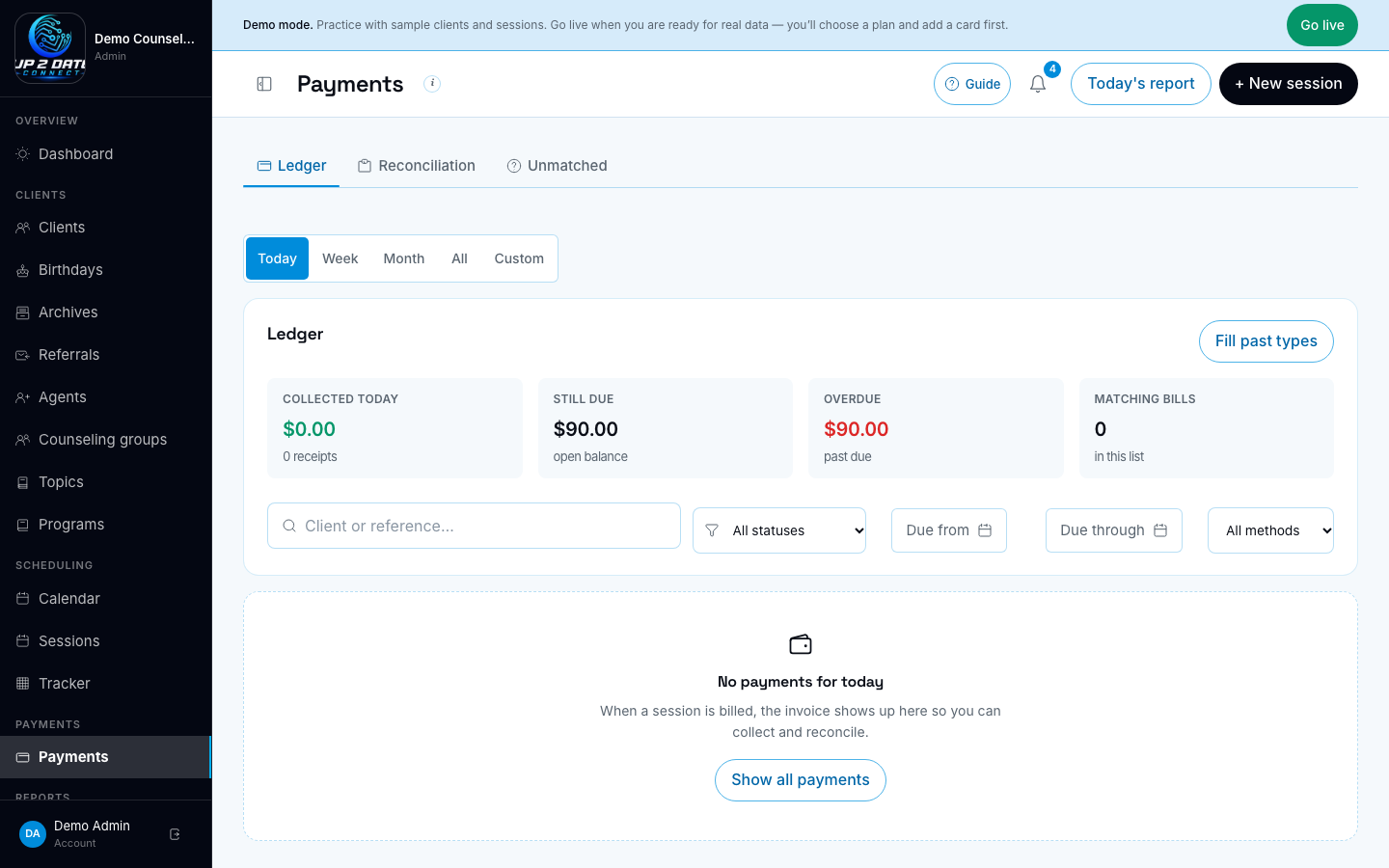
Ledger tools.
What this is for
Section titled “What this is for”After a client pays with Square (checkout or a saved card), the clinic portal can:
- Email a receipt to the client
- Text a short confirmation when the client has agreed to texts
- Keep the exact subject and body on the client’s message history for staff (not for Sentry)
The ledger also has staff tools: a collected-period control, collection totals, payment history for one client, visit type under the client name, fill past Square payment types, and delete a payment row.
Before you start
Section titled “Before you start”- Square is connected for this clinic when card payments are in use.
- Support phone and clinic display name are set under Settings → Branding so receipts name the right office.
- Clients who should get texts have SMS consent turned on.
What staff see
Section titled “What staff see”- Collected period (Today / Week / Month / All / Custom) changes which cash receipts count in the “Collected” tile and which bills appear when a date window is set.
- Fill past types asks Square how older card payments were made and updates the method column when it can.
- Payment history on a row opens that client’s cash lines (receipts), not only the bill amounts.
- Visit type under the client name shows Group, 1:1, or No visit.
- Delete payment asks you to type DELETE. It removes the bill row; it does not refund money in Square.
What it does not do
Section titled “What it does not do”- Cash, check, Venmo confirm, and staff “mark paid” do not send a receipt email or confirmation text.
- Full refunds through the portal are not supported yet (see the refunds follow-up note).
- Message bodies stored for staff history are never sent to error tracking (Sentry).
- If a client paid by card and did not get a text, check SMS consent and that a phone number is on file.
- Use Custom dates when you need a range that is not Today / Week / Month.